> ## Documentation Index
> Fetch the complete documentation index at: https://botpress-ak-docs-20-document-updating-variables-from-outsid.mintlify.site/llms.txt
> Use this file to discover all available pages before exploring further.

# Adding Cards

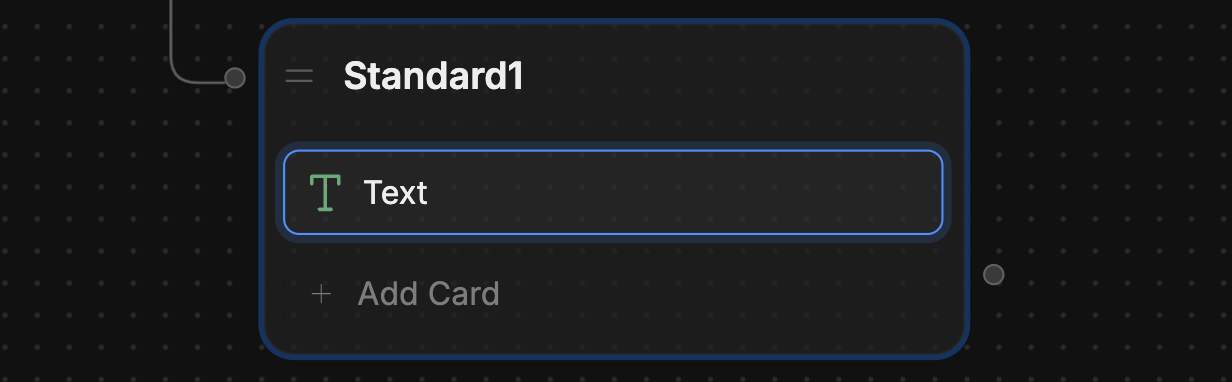
An empty Node isn't very interesting. To make it do something, we can add a *Card*—an individual task your bot performs within a Node.

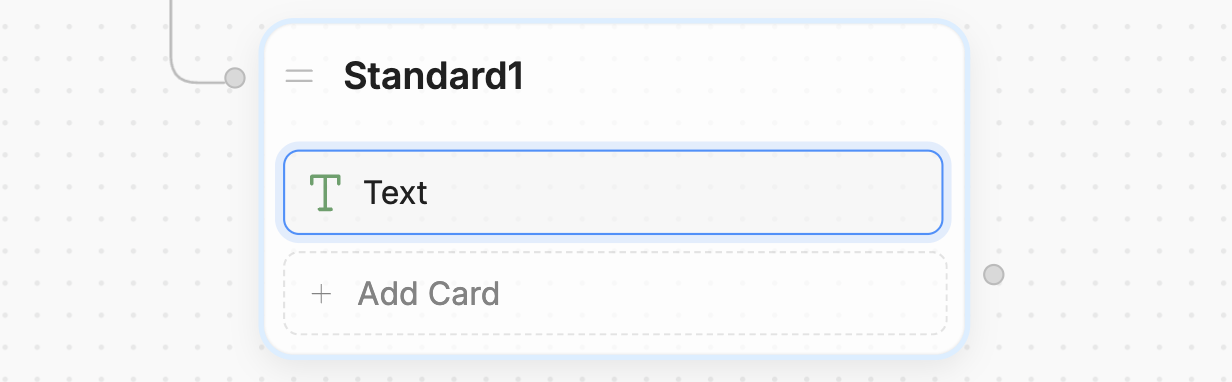
Since customers tend to ask about opening hours, let's add a Card that displays them as soon as the conversation starts:

1. In the new Node, select **+ Add Card**.
2. Under **Send Messages**, select **Text**.
<Frame>
  <img alt="Card" className="block dark:hidden" src="https://mintcdn.com/botpress-ak-docs-20-document-updating-variables-from-outsid/e8kcWWwkIMr2LAPw/tutorial/basics/custom-logic/assets/card.png?fit=max&auto=format&n=e8kcWWwkIMr2LAPw&q=85&s=be2f94178ba9d6707046918d0017c69a" width="1232" height="382" data-path="tutorial/basics/custom-logic/assets/card.png" />

  <img alt="Card" className="hidden dark:block" src="https://mintcdn.com/botpress-ak-docs-20-document-updating-variables-from-outsid/e8kcWWwkIMr2LAPw/tutorial/basics/custom-logic/assets/card-dark.png?fit=max&auto=format&n=e8kcWWwkIMr2LAPw&q=85&s=1f0400f129507590ed5f9c7cce8b1eed" width="1232" height="382" data-path="tutorial/basics/custom-logic/assets/card-dark.png" />
</Frame>

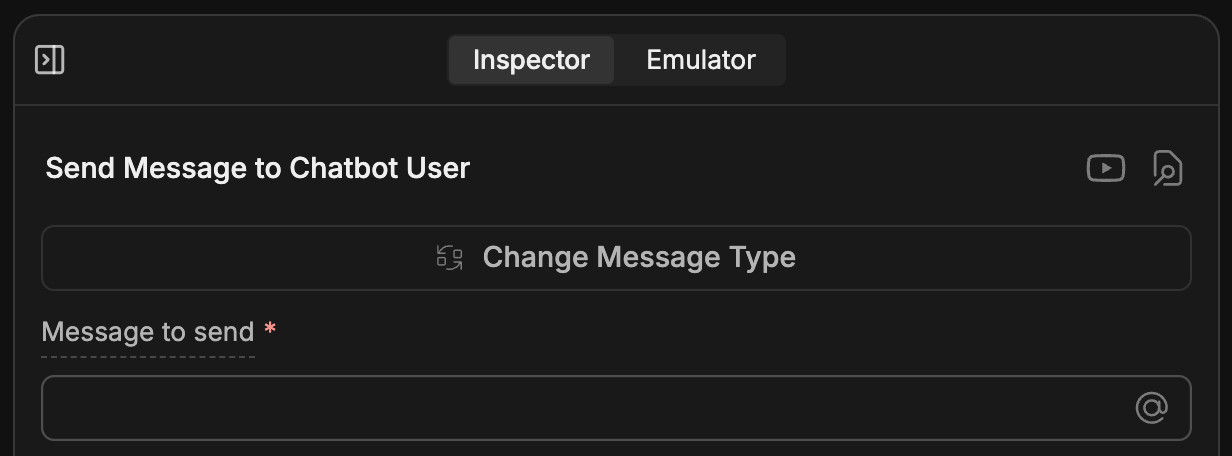
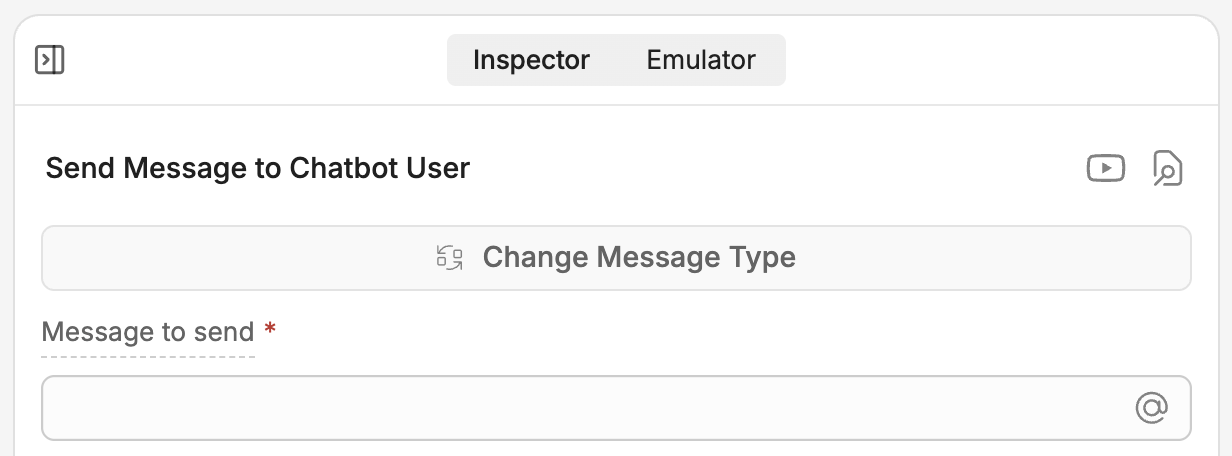
Notice that adding a Card opens the **Inspector** on the right side of the Studio:
<Frame>
  <img alt="Card inspector" className="block dark:hidden" src="https://mintcdn.com/botpress-ak-docs-20-document-updating-variables-from-outsid/e8kcWWwkIMr2LAPw/tutorial/basics/custom-logic/assets/card-inspector.png?fit=max&auto=format&n=e8kcWWwkIMr2LAPw&q=85&s=7021fcb50a37dbc6a38dfcf7e93b939d" width="1232" height="456" data-path="tutorial/basics/custom-logic/assets/card-inspector.png" />

  <img alt="Card inspector" className="hidden dark:block" src="https://mintcdn.com/botpress-ak-docs-20-document-updating-variables-from-outsid/e8kcWWwkIMr2LAPw/tutorial/basics/custom-logic/assets/card-inspector-dark.png?fit=max&auto=format&n=e8kcWWwkIMr2LAPw&q=85&s=f52f35ab5db7bceee581ab80a3263ad8" width="1232" height="456" data-path="tutorial/basics/custom-logic/assets/card-inspector-dark.png" />
</Frame>

Let's add our greeting. In the **Message to send** field, paste the following:

```txt wrap theme={null}
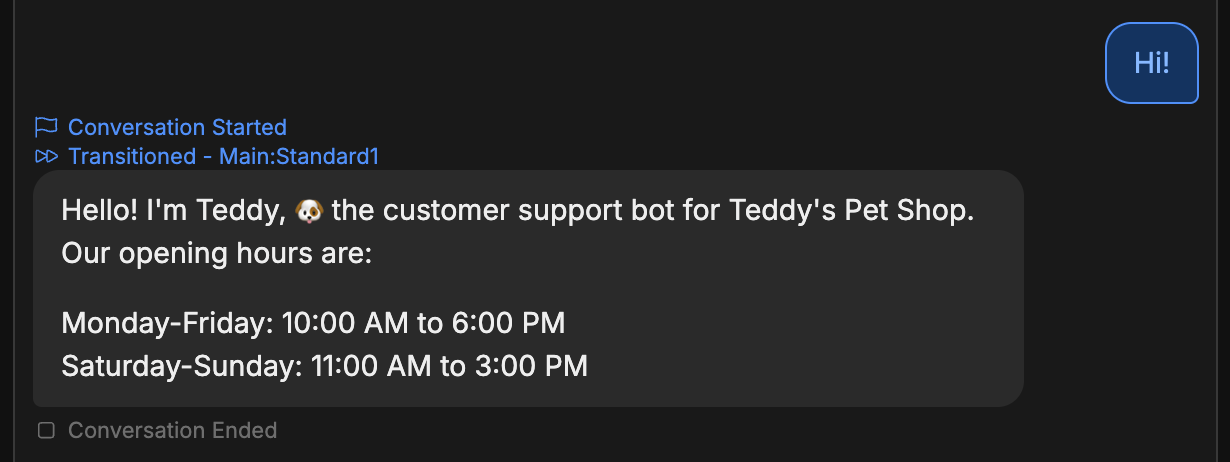
Hello! I'm Teddy, 🐶 the customer support bot for Teddy's Pet Shop. Our opening hours are:

Monday-Friday: 10:00 AM to 6:00 PM
Saturday-Sunday: 11:00 AM to 3:00 PM
```

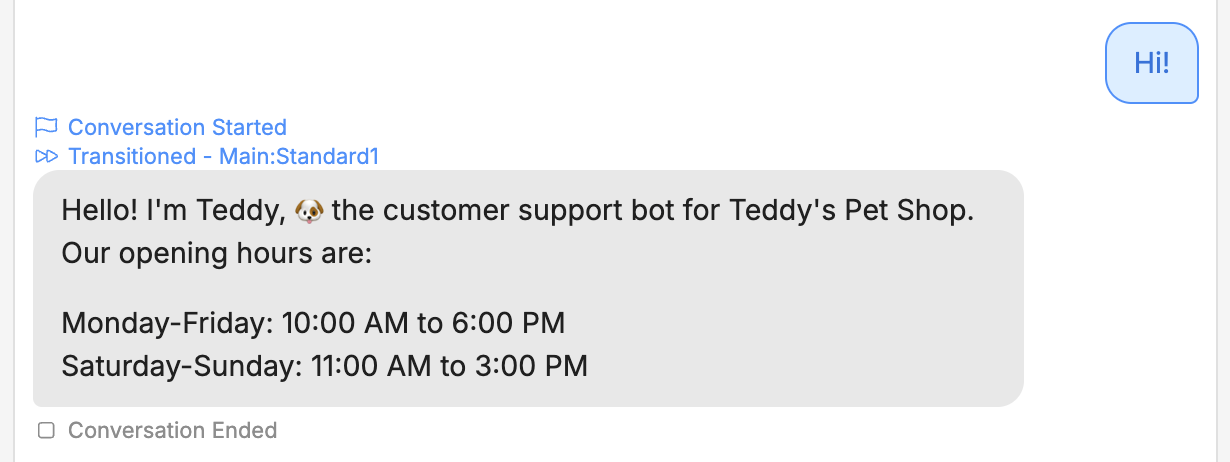
Now we can test it out. Switch back to the **Emulator** and select **Test your bot**:
<Frame>
  <img alt="Custom greeting test" className="block dark:hidden" src="https://mintcdn.com/botpress-ak-docs-20-document-updating-variables-from-outsid/e8kcWWwkIMr2LAPw/tutorial/basics/custom-logic/assets/custom-greeting-test.png?fit=max&auto=format&n=e8kcWWwkIMr2LAPw&q=85&s=0833c983c9f80f920ee58bfcc7fbdc2b" width="1230" height="462" data-path="tutorial/basics/custom-logic/assets/custom-greeting-test.png" />

  <img alt="Custom greeting test" className="hidden dark:block" src="https://mintcdn.com/botpress-ak-docs-20-document-updating-variables-from-outsid/e8kcWWwkIMr2LAPw/tutorial/basics/custom-logic/assets/custom-greeting-test-dark.png?fit=max&auto=format&n=e8kcWWwkIMr2LAPw&q=85&s=656fae2677fa8e8377c28154a058cac1" width="1230" height="462" data-path="tutorial/basics/custom-logic/assets/custom-greeting-test-dark.png" />
</Frame>

Nice! The bot now displays a custom greeting with the opening hours.