Prerequisites
- A Zendesk Support Professional plan account with Zendesk Messaging enabled to the desired channels
- A Botpress Cloud account and a Botpress Bot
Setup in Botpress
- Go to the Integration Hub in Botpress Cloud (if you don’t have the integration installed yet).
- Find and open the Sunshine Conversations integration then click on the “Install to Bot” button, now go back to your bot settings.
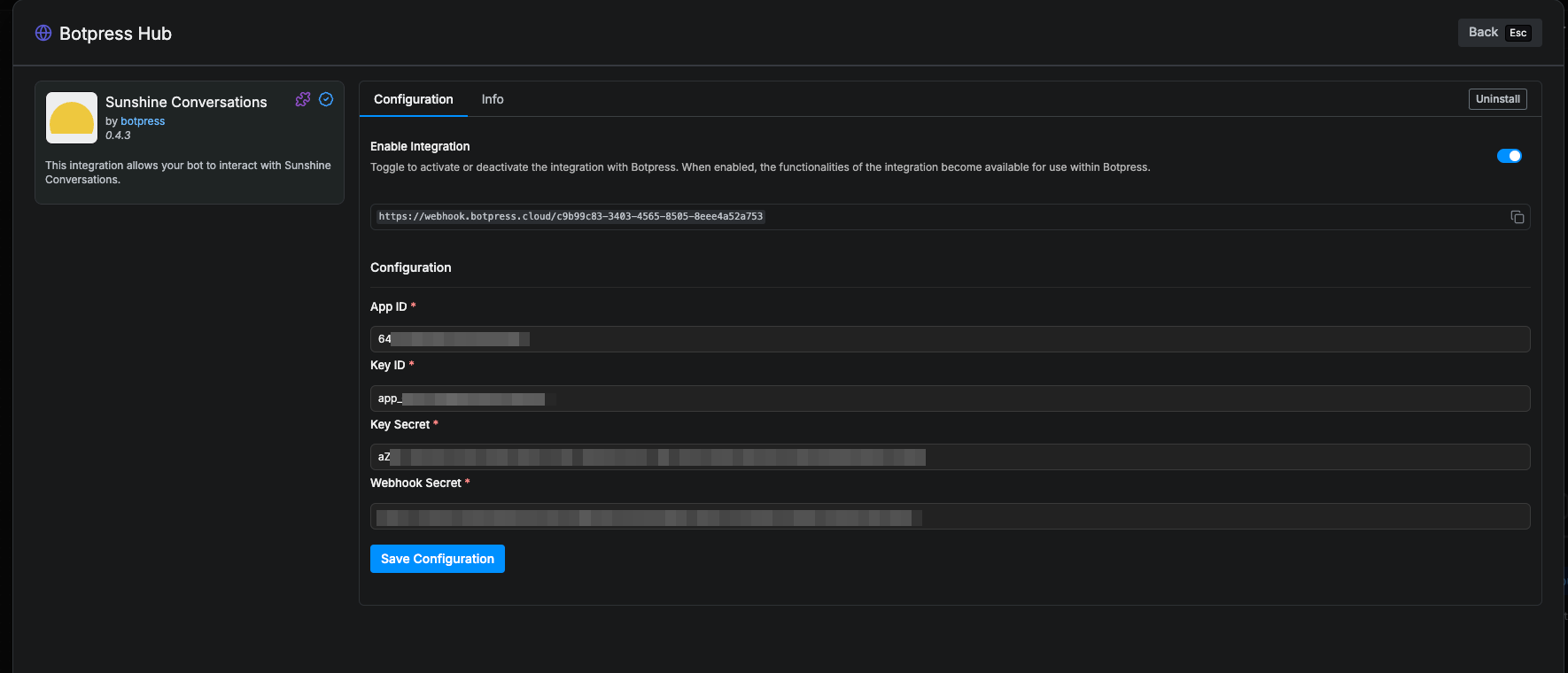
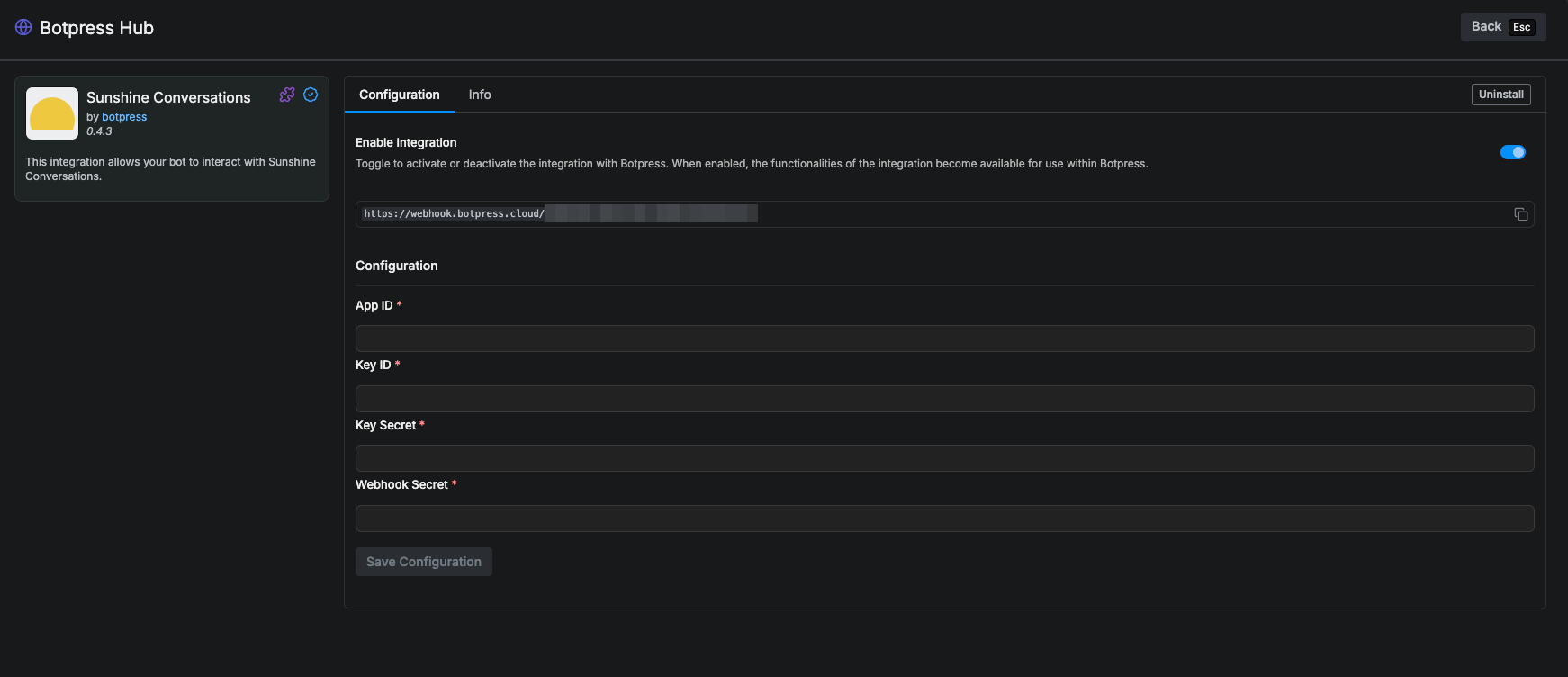
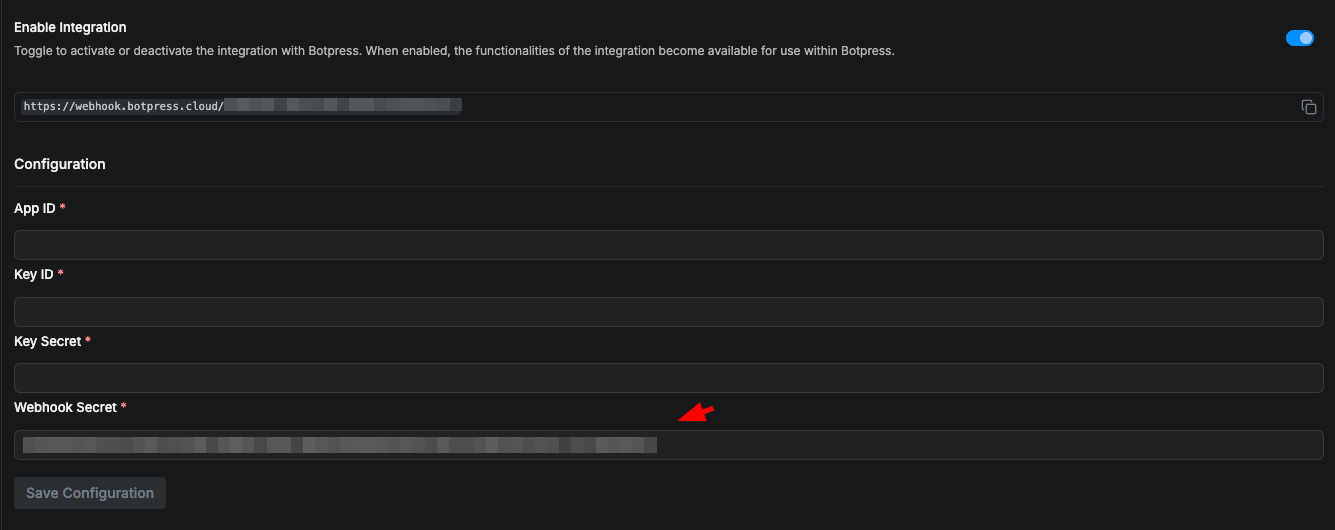
- Enabled: Whether Botpress will communicate with this channel
- Webhook URL: The URL for receiving data in Botpress (Copy this)
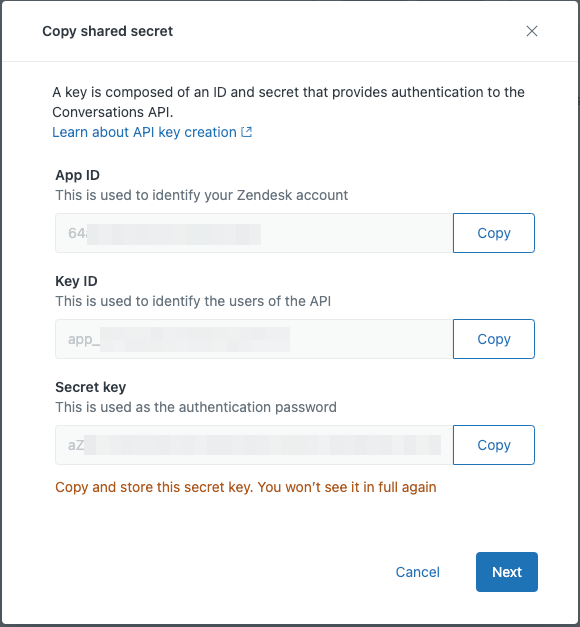
- App ID: The App ID of your Zendesk Conversation API Credentials
- Key ID: The Key ID of your Zendesk Conversation API Credentials
- Key Secret: The Key Secret of your Zendesk Conversation API Credentials
- Webhook Secret: The Webhook Secret of your Zendesk Conversation Integration Webhook
Setup in Zendesk
Configure the Webhook
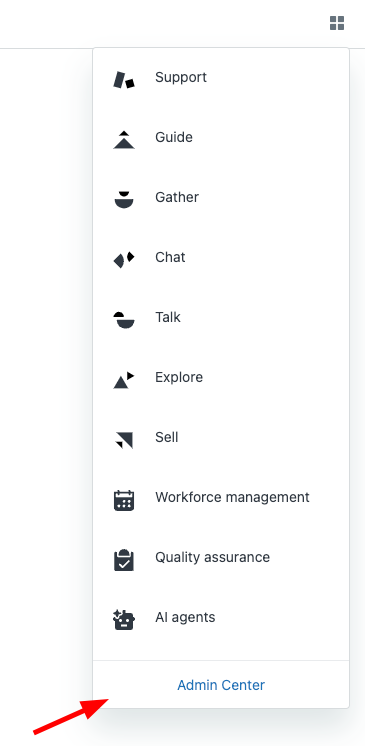
- Open your Zendesk Admin Center.
- Click on Apps and Integrations and Conversations Integrations

- Give any name and put the webhook URL that you copied from Botpress.

- Also select Conversation message and Postbacks on Webhook subscriptions.
- Click Save at the bottom right corner.
- Copy the Shared Secret and past on the Botpress Integration Configuration page at Webhook Secret

Configure the API Credentials
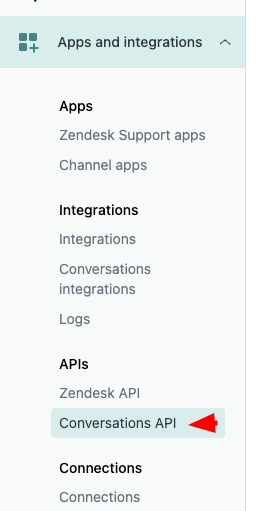
- Click on Apps and Integrations view and Conversation API
- Click on Create API key and give it any name, then Next.
- Copy App ID, Key ID, Secret key and put them on the associated field on the integration configuration.